
Organizing your computer desk properly takes 30 to 60 minutes and transforms how effectively you work. The method centers on three core actions: removing everything from the desk surface, grouping items by function and frequency of use, and returning only what serves your daily workflow to dedicated zones within arm’s reach.
The payoff shows up immediately. When Sarah Chen, a training manager at a mid-sized software company, reorganized her workspace using this approach, she reported a 40% reduction in time spent searching for documents and supplies. More striking, her ability to transition between tasks improved noticeably because each tool lived in a predictable location.
The reason this system works comes down to decision fatigue. Every misplaced sticky note or tangled cable creates a micro-decision that drains mental energy. A well-organized desk eliminates those friction points, letting you direct focus toward meaningful work rather than hunting for a pen or your phone charger.
This process works for any desk size or job role. Whether you’re managing remote teams, conducting virtual training sessions, or analyzing performance metrics, the fundamental principles remain consistent. You’ll need about an hour of uninterrupted time, a few basic organizing tools, and a willingness to be ruthless about what truly belongs on your primary work surface. The result is a workspace that supports concentration rather than undermining it, and the organizational habits you build extend naturally to digital files and broader workflow systems.
Essential Tools and Materials for Computer Desk Organization
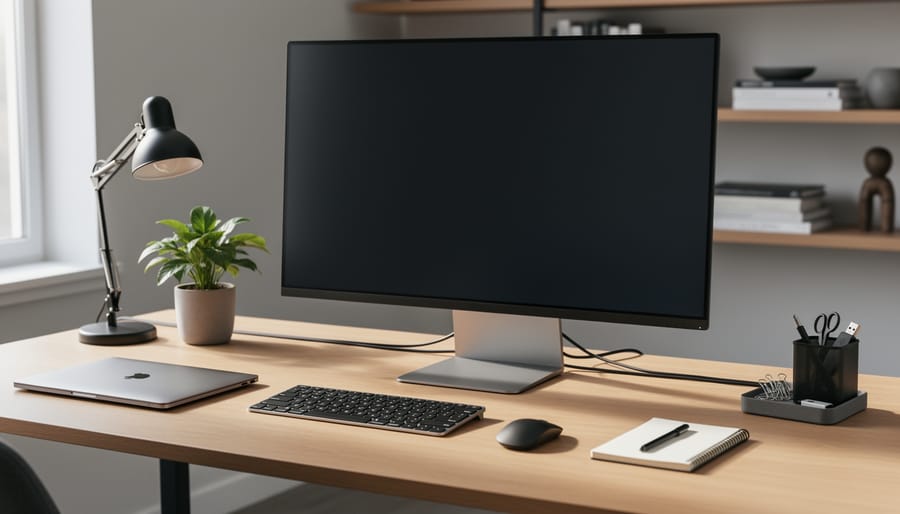
Successful desk organization begins with the right tools. Rather than purchasing random storage items, focus on these proven essentials that address the most common workspace challenges:
- Cable management systems (clips, sleeves, cable boxes), eliminate tangled cords and visual chaos beneath your desk
- Desk organizers and caddies, keep pens, notepads, and small supplies accessible without surface clutter
- Drawer dividers, transform junk drawers into functional storage where every item has a designated spot
- Monitor stands or arms, elevate screens to proper eye level while creating usable space underneath
- Document holders and vertical file organizers, prevent paper piles from consuming your work surface
- Label maker or label system, ensure organization sticks by clearly marking where items belong
- Desktop shelving or risers, add vertical storage tiers for items you need visible but not in your immediate work zone
Selecting the right items depends on your specific workspace and work patterns. Measure your desk dimensions before purchasing organizers to avoid items that don’t fit. Consider your daily tasks: if you handle physical documents frequently, prioritize file holders and trays. If you manage multiple devices, invest in quality cable management first.
Start with basic versions rather than expensive systems. A simple cable sleeve outperforms no cable management, and a basic desk caddy beats scattered supplies. You can always upgrade once you understand what works for your workflow. The goal is creating a sustainable system that matches how you actually work, not building a showroom display. Most effective setups combine three to five tools maximum, chosen specifically for the problems causing the most disruption to your focus and efficiency.
Safety and Ergonomic Considerations Before You Begin
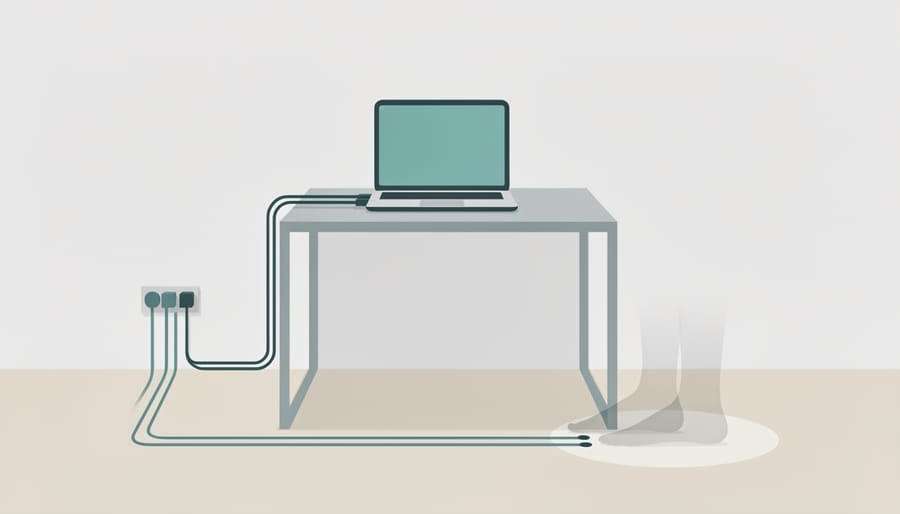
Before you start rearranging your workspace, address these safety fundamentals to protect yourself from immediate hazards and long-term injury.
Electrical Safety During Cable Management
Unplug all equipment before organizing cables. Working with live power cords increases shock risk, particularly when routing cables through metal desk frames or near water sources. Never force plugs into outlets, and replace any cords with exposed wiring or damage. When you reconnect equipment, verify that power strips aren’t overloaded, most have a 15-amp limit, and exceeding it creates fire risk.
Proper Lifting and Moving Techniques
Computer monitors and equipment can be deceptively heavy. Bend at your knees, not your waist, when lifting items from low surfaces. Keep objects close to your body and avoid twisting while holding weight. If a monitor or desk component feels too heavy, ask for help rather than risk back strain that could sideline you for weeks.
Ergonomic Positioning Requirements
Your monitor should sit at arm’s length with the top edge at or just below eye level. Keyboards belong at a height where your elbows form 90-degree angles and wrists stay straight. Feet should rest flat on the floor or a footrest. Poor positioning might feel tolerable initially, but cumulative strain leads to repetitive stress injuries that can take months to resolve.
Emergency Access Considerations
Keep at least one clear path from your desk to the nearest exit. Don’t block doorways with filing boxes or storage bins during your organization project. In offices, verify that your setup doesn’t obstruct sprinkler systems or fire extinguishers, codes exist for good reason.
Step-by-Step Computer Desk Organization Process
Step 1: Clear and Assess Your Current Workspace
Start by removing every single item from your desk surface, drawers, and any attached organizers. Yes, everything, the monitor can stay, but the sticky notes, pens, that coffee mug from 2023, and the tangle of charging cables all need to come off.
As you remove items, create three distinct piles: keep (things you use at least weekly), relocate (items that belong elsewhere), and discard (broken, duplicate, or unused items). Be ruthless here. That stapler you haven’t touched in six months? The conference badge from last year? They’re taking up valuable real estate.
Pay special attention to what you reach for instinctively versus what you’ve been working around. Most people discover they actively use fewer than 20 items daily, yet their desks hold 50 or more objects. This gap between what you use and what you keep is where clutter lives.
Take a photo of your cleared desk. You’ll want to remember what “blank slate” looks like when you’re tempted to let things accumulate again.
Step 2: Clean and Prepare the Surface
With your desk cleared, grab a microfiber cloth and appropriate cleaning solution. Wipe down the entire desk surface, paying attention to corners and edges where dust accumulates. Clean your monitor with screen-safe cleaner, never spray directly on the screen. Use compressed air or a damp cloth to clean your keyboard between keys, where crumbs and debris hide.
Don’t skip peripheral equipment. Clean your mouse, phone, lamp, and any desk accessories you’ll be returning. This thorough cleaning does more than remove grime. It creates a psychological fresh start that makes maintaining organization easier. You’ll also spot any damage or wear that needs addressing before you rebuild your workspace.
A clean foundation prevents you from organizing dirt and dust back into your system.
Step 3: Establish Zones for Different Activities
Effective workspace zoning transforms a flat desk surface into a purposeful environment where every item has a logical location. Start by identifying your primary work zone: the central area directly in front of your chair where your keyboard, mouse, and most frequently accessed items belong. This space receives constant use throughout your workday.
Next, establish your secondary zone, the area within arm’s reach but outside your immediate work surface. Position your phone, notepad, reference documents, and daily supplies here. You can access these items without stretching or standing, but they don’t compete for prime real estate.
Your storage zone encompasses desk edges, drawers, and any vertical space. Assign this area to items you need weekly rather than hourly: extra supplies, archived documents, backup equipment, and personal items that serve no functional work purpose.
Create a dedicated writing zone if you regularly work with paper documents. A clear section to your dominant hand’s side prevents papers from migrating across your keyboard area. Similarly, designate where reference materials live, whether on a document holder, in a specific drawer, or on a small shelf within view.
Step 4: Manage Cables and Technology
Cable management transforms a chaotic workspace into a professional environment. Start by unplugging everything and gathering all cables. Route each cord along the desk’s back edge using adhesive cable clips spaced every 6-8 inches, or thread multiple cables through a single sleeve for a cleaner look.
Label both ends of every cable with a label maker or masking tape, write what it powers and where it connects. When troubleshooting or upgrading equipment months later, you’ll save significant time.
Position your power strip underneath the desk or mounted to the side using industrial-strength velcro or screws. This keeps outlets accessible while removing visual clutter from your primary work surface. Plug devices you rarely disconnect (monitor, lamp) into the back outlets; frequently-changed items (phone charger, laptop) go in front positions.
Wrap excess cable length using velcro ties, never twist ties, which can damage cords over time. Coil surplus length behind the desk or secure it to a leg. The goal is tension-free routing with no dangling loops that collect dust or create trip hazards.
Step 5: Optimize Monitor and Equipment Placement
Position your monitor directly in front of you at arm’s length, when you extend your arm, your fingertips should nearly touch the screen. The top edge of the display should sit at or just below eye level, allowing you to view the center of the screen with a slight downward gaze of 10-15 degrees. This prevents neck strain during extended work sessions.
Your keyboard belongs directly in front of your monitor, close enough that your elbows rest at 90-100 degrees when typing. Keep your wrists straight and neutral, not bent upward or downward. Place your mouse immediately beside the keyboard at the same height, within easy reach without stretching or twisting your shoulder.
Arrange remaining items by usage frequency. Position your phone and notebook within the secondary zone, you can grab them without leaning. Place reference materials, calculators, or staplers at desk edges or in drawers since you access them less often.
Step 6: Implement Storage Systems
Strategic storage transforms a desk from cluttered to controlled. Start by installing drawer organizers that create compartments for pens, sticky notes, clips, and other small supplies, items you identified as daily essentials in Step 1. Position a desk caddy in your secondary zone to hold frequently-grabbed tools within arm’s reach without consuming prime work surface.
Add vertical file holders or tiered trays for active documents and reference materials. These keep papers visible and accessible while freeing horizontal space. Assign each storage solution a specific category: one drawer for office supplies, another for personal items, a caddy for writing tools, a tray for incoming documents.
Label everything. Use a label maker or handwritten tags to mark drawer contents and file categories. Labels eliminate guesswork during busy moments and make maintaining the system effortless. When every item has a designated home and that home is clearly marked, you’ve built a self-sustaining organization structure that requires minimal mental energy to maintain.
Step 7: Return Only Essential Items
With your cleaned desk and organization systems in place, it’s time to return items, but only those you truly need. Place back exclusively what you identified as daily-use essentials during your initial assessment. Your computer, keyboard, mouse, and perhaps one reference item or notebook belong on the surface. Everything else goes into its designated drawer organizer, caddy, or file holder.
Resist the temptation to “just set this here for now.” That’s how clutter rebuilds. Each item you return must have a specific home you established in the previous steps. Your primary work surface should remain as clear as possible, ideally showing only the equipment you’re actively using. This visual simplicity reduces cognitive load and helps your brain focus on work rather than processing environmental clutter. If you can’t identify exactly where something belongs, you haven’t finished organizing yet.

How to Verify Your Organization System Works
Your new system only works if it passes real-world testing. Run these verification checks before you commit to the setup.
The 30-Second Retrieval Test
Set a timer and search for five random items: a specific file, a pen, your phone charger, a sticky note pad, and a business card. Can you locate each one in under 30 seconds without moving other objects or opening multiple drawers? If you’re hunting, your storage zones aren’t intuitive enough. Adjust item placement so frequently-used tools live in your primary work zone and everything has a visible, logical home.
The Full-Day Comfort Check
Work through a complete day using your new layout. Notice when you stretch awkwardly, when cables snag, or when you need to stand to reach something. Does your monitor position still feel right after three hours? Can you manage administrative tasks without shuffling papers around? These friction points reveal design flaws. Mark problem areas and refine equipment placement or add a secondary organizer where gaps appear.
The Two-Minute Reset
At the end of your workday, return everything to its designated spot. Time yourself. If it takes longer than two minutes, you have too many items on the surface or your storage system is too complex. Simplify by removing low-use items and creating broader categories that require less sorting.
Check cable management by running your hand along desk edges and behind equipment. You shouldn’t encounter loose loops, tangles, or cords crossing work zones. If cables interfere, add clips or reposition your power strip.
Real-World Success: How One Organization Transformed Employee Productivity
When TechBridge Solutions, a 250-employee software consulting firm, noticed declining productivity scores among their remote and hybrid teams in early 2025, they traced the problem to an unexpected source: disorganized home workspaces. Employees reported spending up to 45 minutes daily searching for documents, untangling cables, and clearing space to work effectively.
The company partnered with their learning and development team to create a standardized desk organization training program. Over a two-month period, all employees received a toolkit including cable management supplies, desk organizers, and a step-by-step implementation guide. The training included virtual workshops where facilitators walked teams through the organization process, followed by one-on-one check-ins to troubleshoot individual challenges.
The results were substantial. Within 90 days, employee surveys showed a 34% increase in reported daily focus time. Time spent locating work materials dropped from an average of 45 minutes to just 12 minutes per day. Perhaps most tellingly, overall job satisfaction scores increased by 18 points, with many employees citing their organized workspace as a key factor in feeling more professional and in control.
The initiative demonstrated that physical workspace management isn’t merely a personal preference, it’s a legitimate organizational development intervention. TechBridge’s success showed that investing in the fundamentals of how employees structure their work environment yields measurable returns in productivity, efficiency, and morale. The program cost approximately $75 per employee but generated an estimated productivity gain worth thousands in recovered working hours.
Maintaining Your Organized Workspace
An organized desk doesn’t maintain itself. The system you’ve built requires consistent attention, but the effort is minimal compared to the productivity gains.
End each workday with a five-minute reset. Return items to their designated spots, sort any new papers into your filing system, and coil or secure cables that shifted during use. This daily practice prevents clutter from accumulating and ensures you start each morning with a clean slate.
Schedule a fifteen-minute weekly review every Friday afternoon. Check that your zones still serve their purpose, clean surfaces thoroughly, and identify items that have migrated where they don’t belong. Discard what you haven’t used and relocate tools that now deserve primary zone placement.
Monthly, step back and assess what’s working. Has your workload shifted? Do certain tasks now deserve dedicated space? Consider which maintenance tasks you could delegate or automate to preserve focus time. Adjust your system rather than forcing yourself to work around limitations.
Organization is a practiced skill, not a one-time achievement. Each reset strengthens the habit until maintaining order becomes automatic rather than effortful.
Common Questions About Computer Desk Organization
How long does the initial desk organization take?
Plan for two to four hours for a thorough initial setup, depending on how much clutter you’re starting with and the complexity of your cable management. Most of that time goes into sorting, cleaning, and making decisions about what stays.
What should I do with sentimental items that don’t serve a work function?
Keep one or two meaningful items that genuinely bring you comfort or motivation, positioned outside your primary work zone. Photos, awards, or small mementos work well on a shelf or the desk’s edge, but if something doesn’t help you work better, it belongs elsewhere.
How do I organize a shared workspace?
Establish clear boundaries with your desk mate about what belongs in shared versus personal zones. Use labeled containers for individual supplies, agree on cable management standards, and schedule brief weekly check-ins to maintain the system together.
How often should I completely reorganize my desk?
A full reorganization is typically needed only when your job responsibilities shift or you move workspaces. Instead, commit to a daily two-minute reset and a monthly 15-minute assessment to catch small problems before they require a complete overhaul.
These questions reflect the real concerns employees raise when implementing new workspace systems. Organizations that treat desk organization as part of broader staff engagement activities often see better adoption rates, because workers understand the connection between their physical environment and their ability to contribute effectively. The key is approaching organization as an evolving practice rather than a one-time project that must be perfect from day one.
A well-organized computer desk is more than a tidy surface. It represents the same intentional approach that strengthens every aspect of professional performance. When you create a workspace that eliminates friction and supports focus, you develop habits of clarity and efficiency that extend far beyond your desk. The discipline required to maintain an organized environment mirrors the mindset needed to build people skills lead teams effectively, and contribute meaningfully to organizational goals.
Start with one step today. Clear your desk surface, establish a single zone, or manage just the cables within arm’s reach. Small actions compound into lasting systems, and every improvement creates momentum for the next.